EN
EN DE
DE CH
CH AT
AT

AI Company Agent
An agent that knows your policies, people and processes and completes multi-step HR tasks for you, with approvals where you want them.
The Number One HR Solution on Salesforce
flair AI
flair AI works inside every HR process: an agent that knows your company, an assistant for every employee, AI shift planning, continuous compliance checks, employee sentiment and AI recruiting. All on your own HR data, with your permissions.
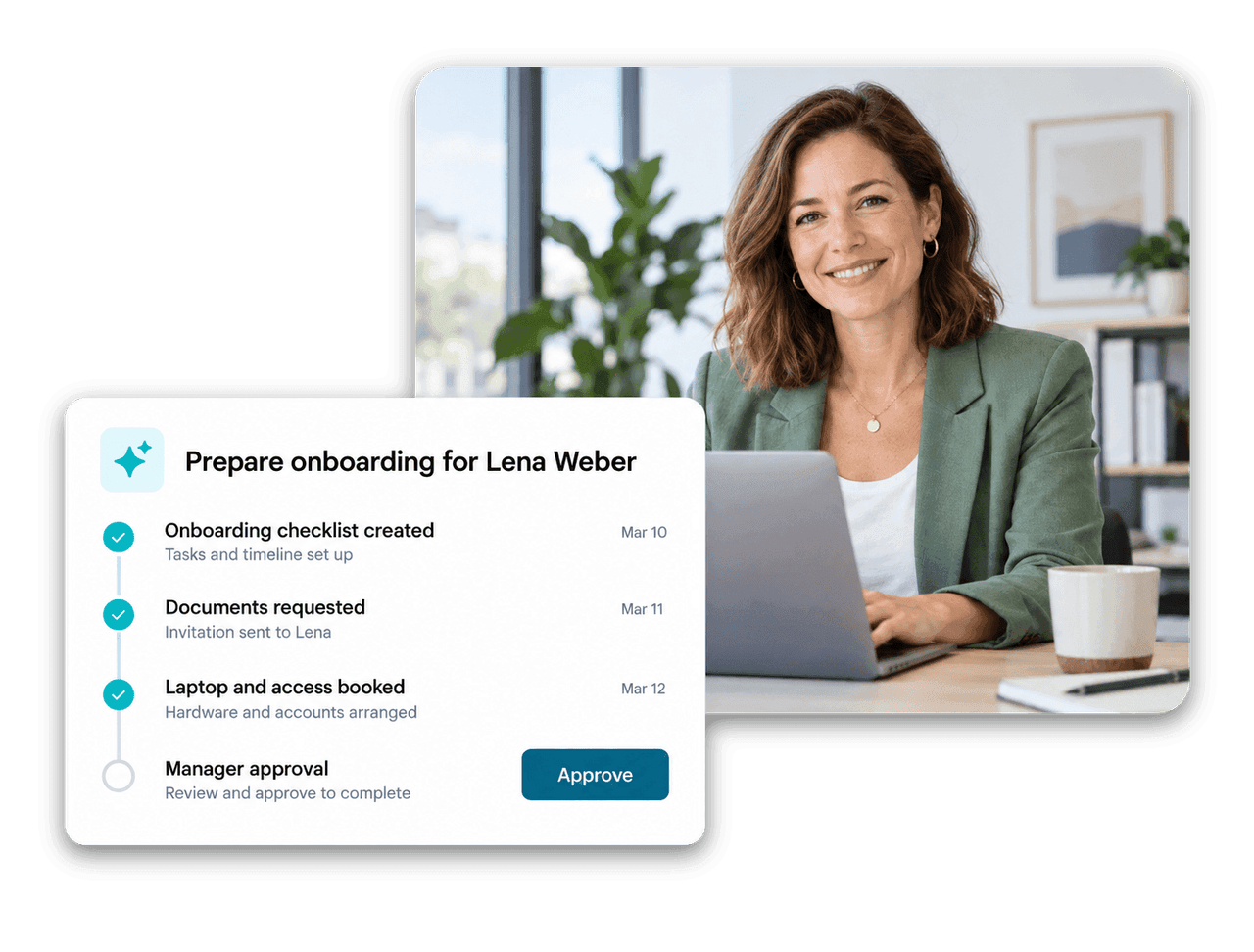
flair AI is not a separate chatbot. It runs on the same data, permissions and workflows as the rest of flair, so its answers and actions fit your company.
An agent that knows your policies, people and processes and completes multi-step HR tasks for you, with approvals where you want them.

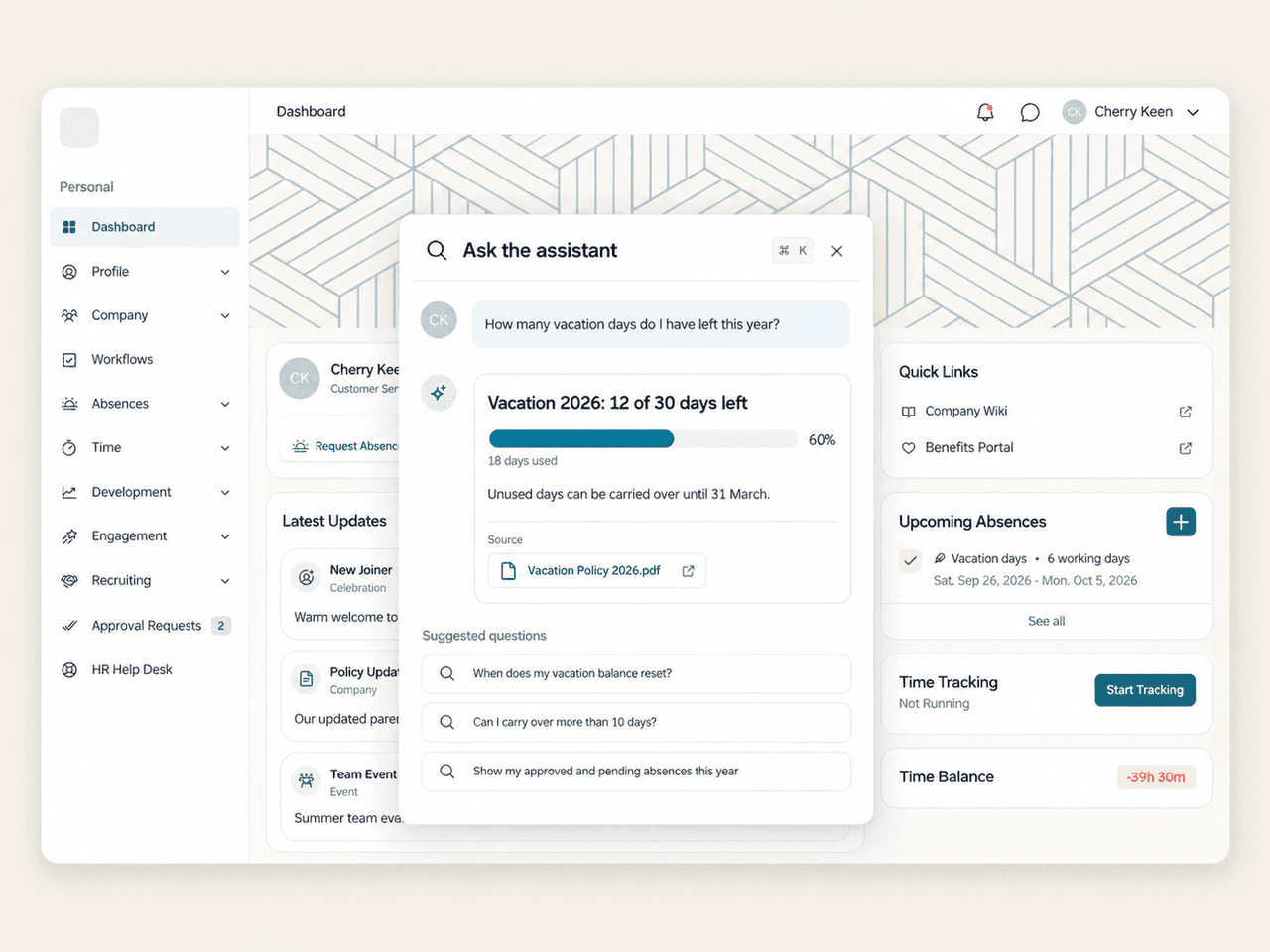
Employees press ⌘K and ask about balances, shifts, payslips or policies. Answers come from their own data and cite the source.

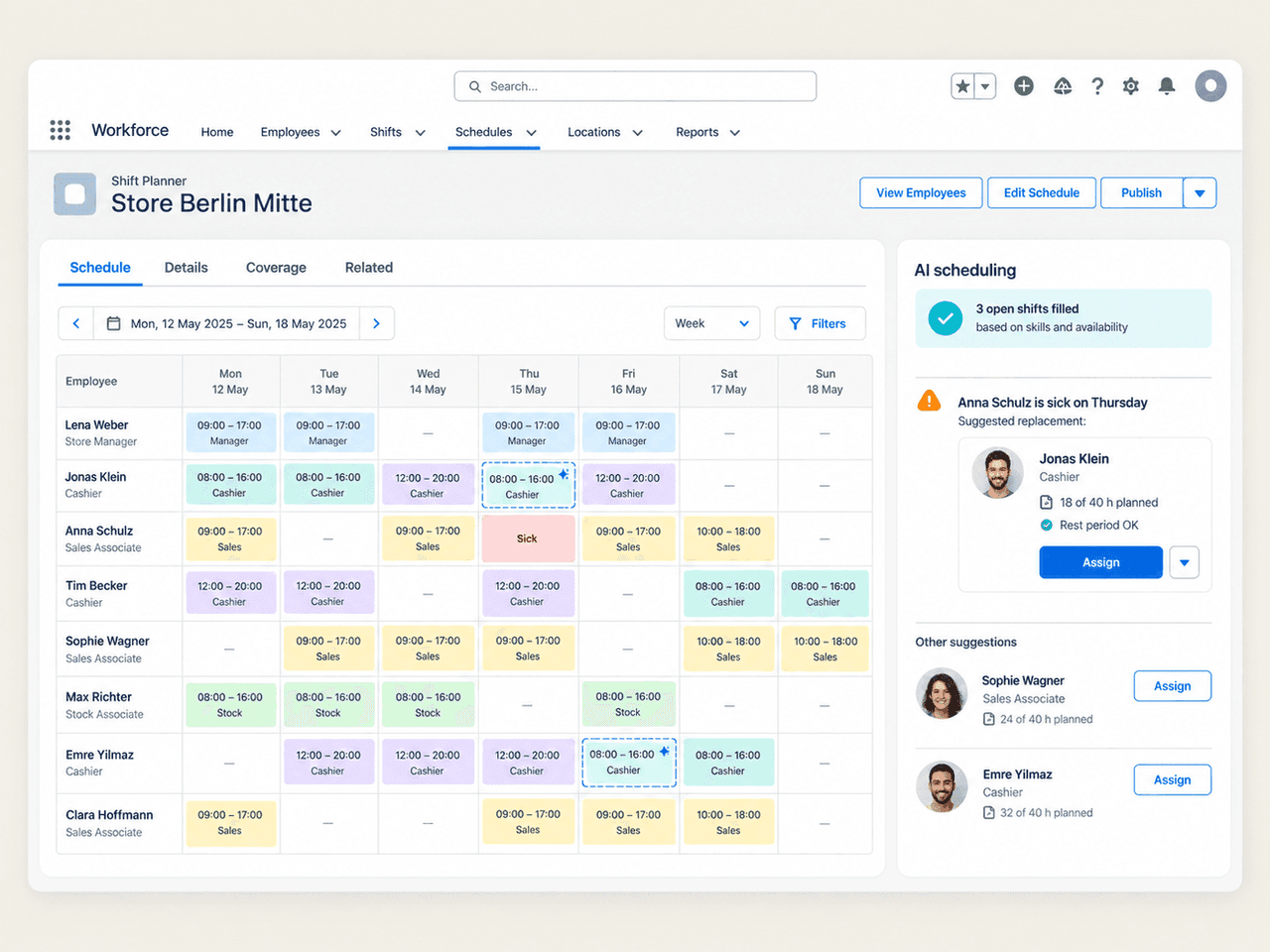
Builds shift plans from demand, skills, availability and working-time rules, and finds a replacement when someone calls in sick.

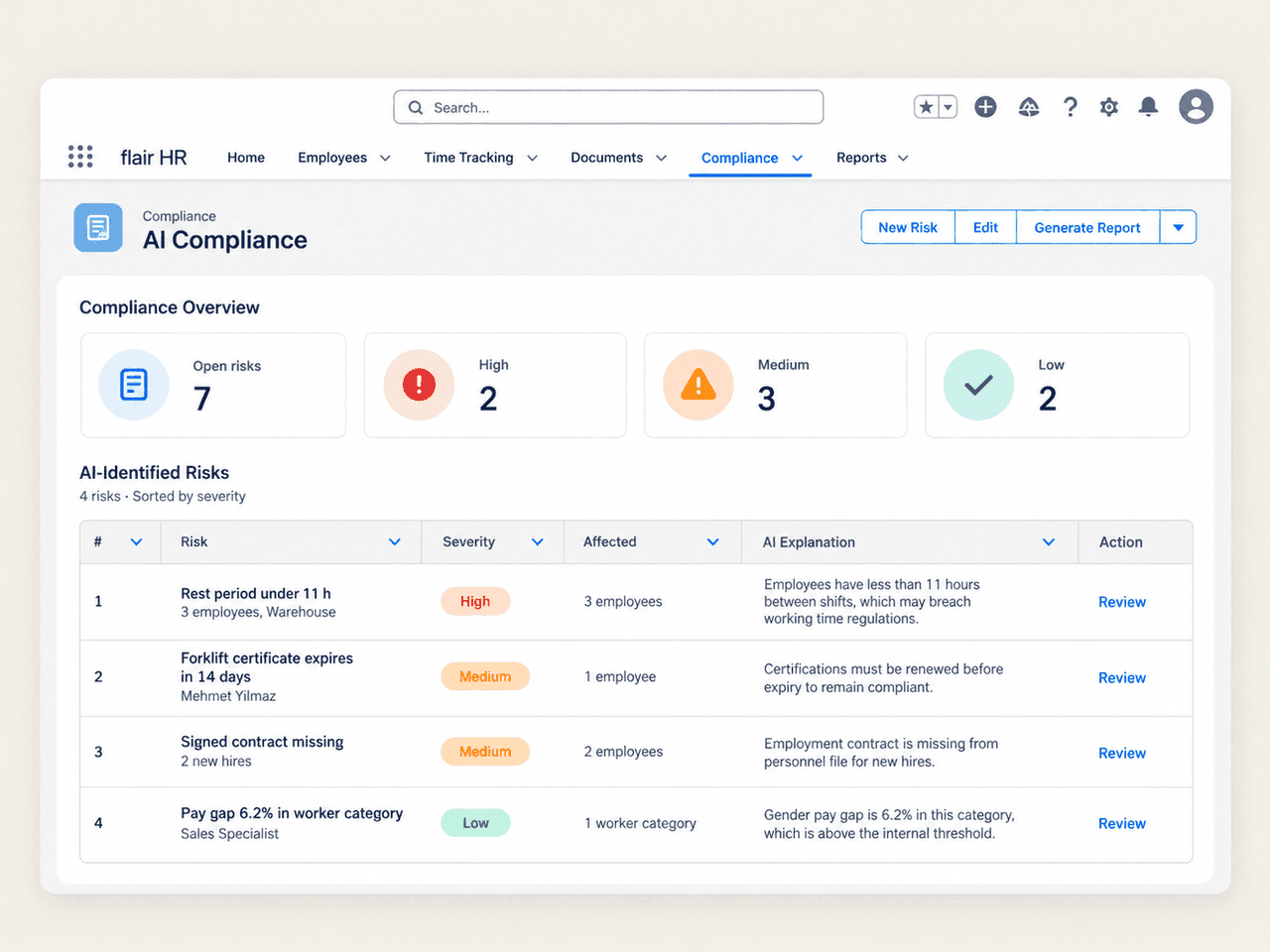
Continuously checks working time, rest periods, expiring certificates, missing documents and pay gaps, and flags risks before an audit does.

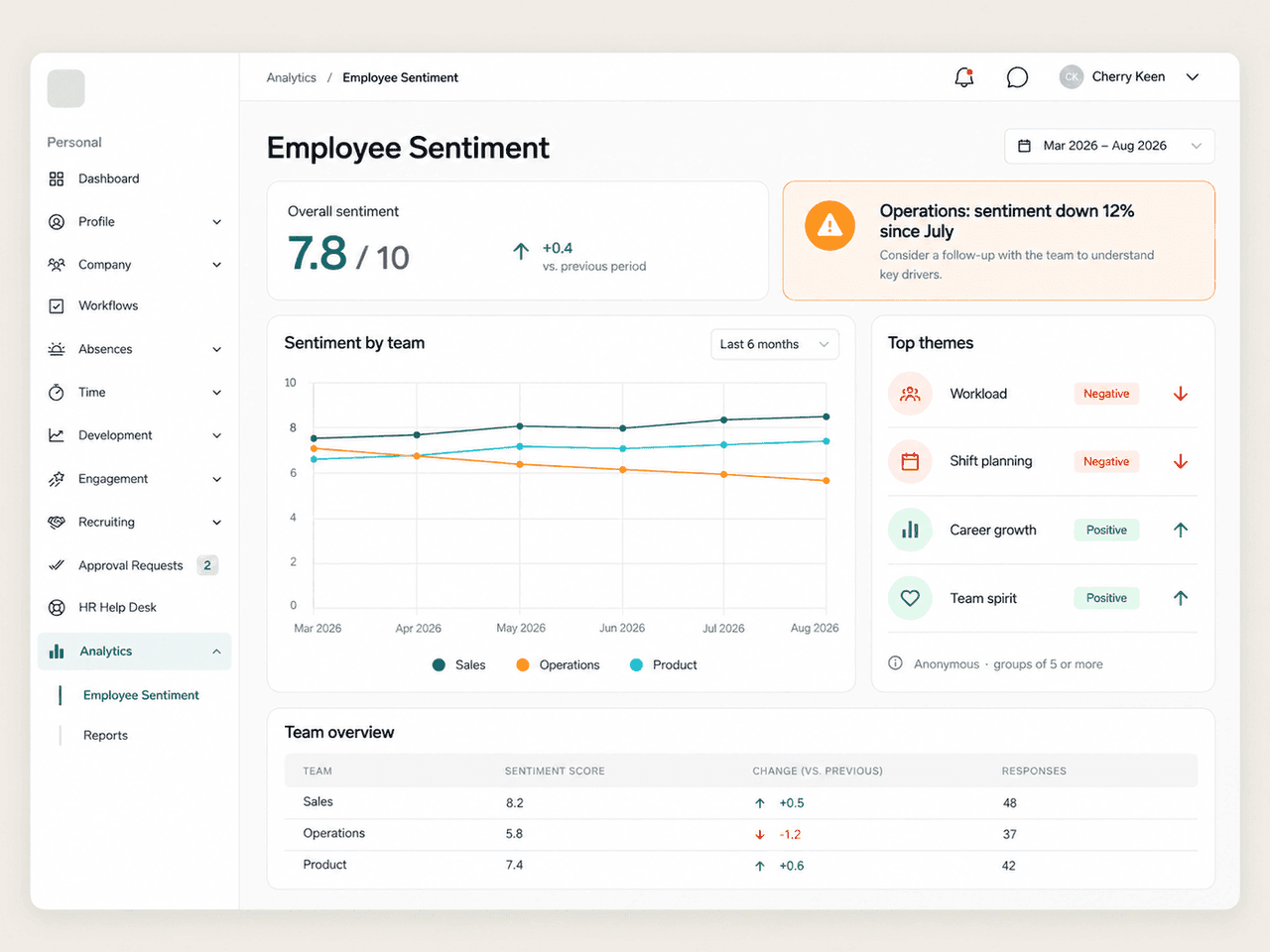
Turns survey answers, review feedback and pulse checks into sentiment trends per team, anonymously and with early warnings.
AI Scores from 0 to 100, AI job descriptions and interview recording with summaries and transcripts.

Rewrite, shorten, formalize or translate text, and get a summary of every completed review and survey response.

Describe the people you need in plain language and flair AI builds the filters for skills, certificates, location and more.
AI Company Agent
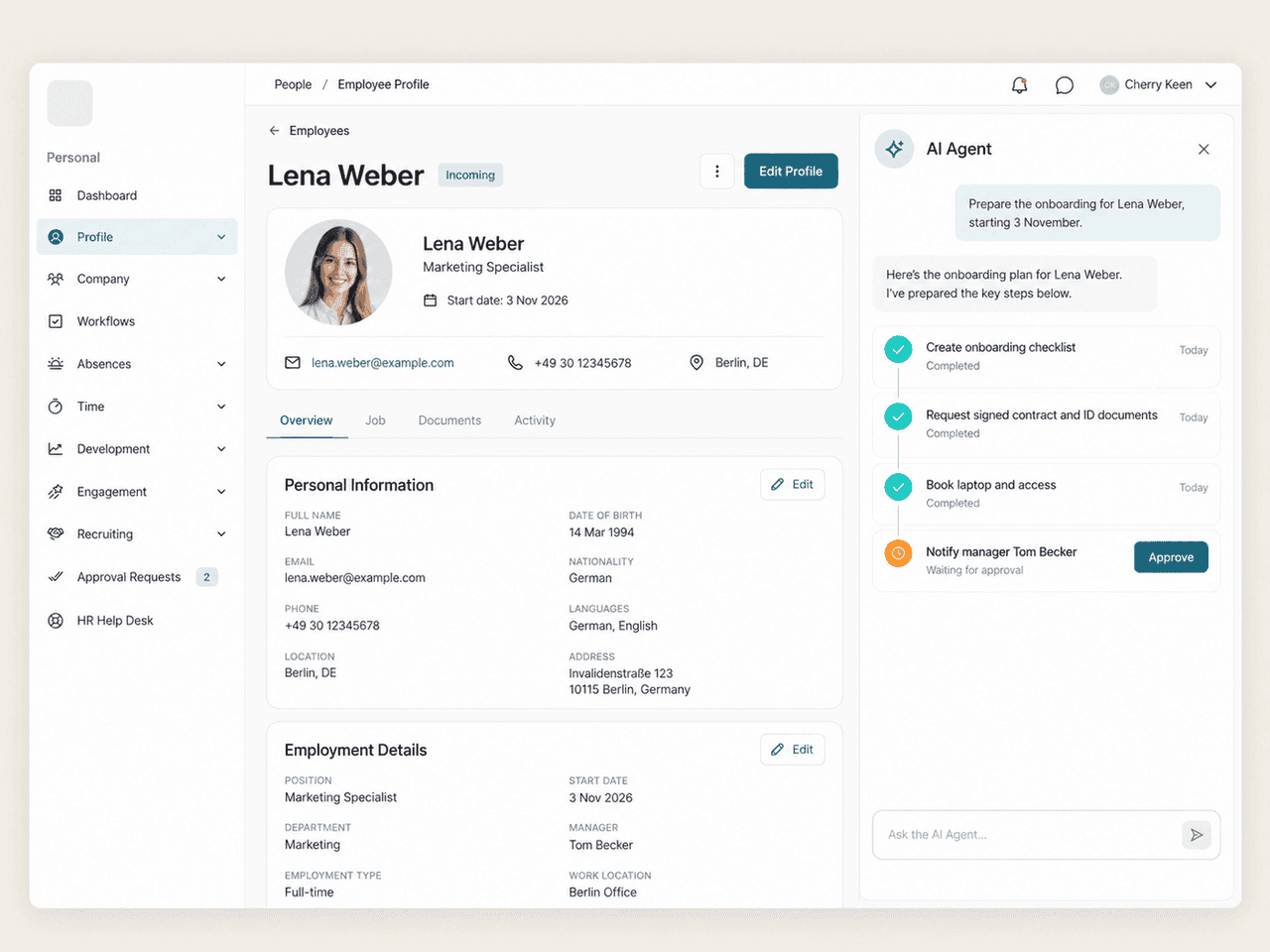
The flair AI company agent knows your policies, your org chart and your processes, and it does the work instead of describing it. Ask it to prepare an onboarding, collect missing documents or chase open approvals, and it plans the steps, carries them out in flair and reports back.
AI Assistant
Employees press ⌘K or click Assistant in the Employee Hub and ask the way they would ask a colleague. The assistant answers from their own HR data, covering absences, time tracking, expenses, documents, shifts, surveys, goals and tickets, and from your company policies, with a citation for every source.
AI Scheduling Assistant
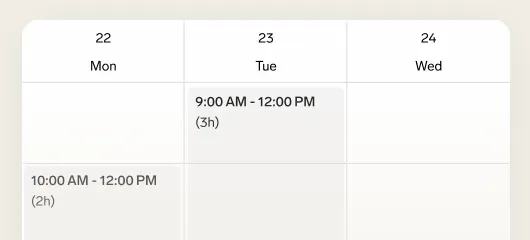
The AI scheduling assistant drafts the shift plan from your staffing demand, the skills each shift needs, employee availability, absences and working-time rules. When someone calls in sick, it suggests qualified colleagues who are available and within their hours. Planners review the plan and publish it.
AI Compliance
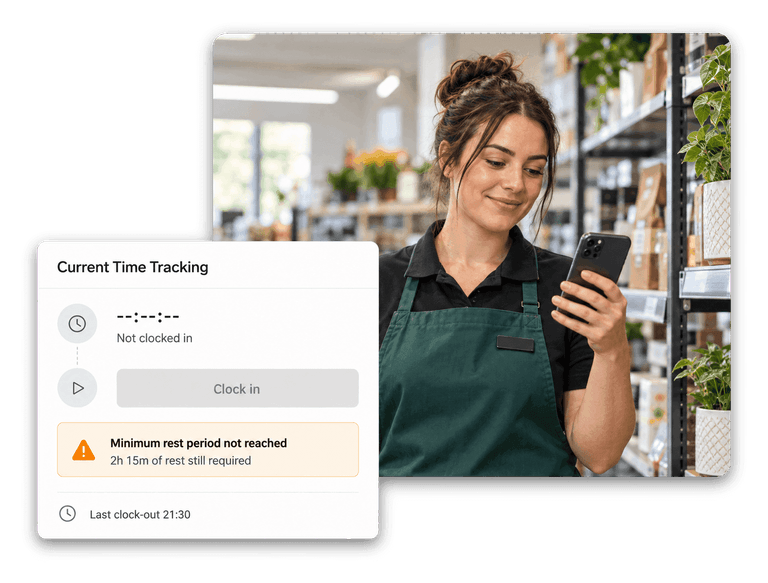
AI compliance checks your HR data around the clock against working-time law, your policies and the EU Pay Transparency Directive. It flags missed rest periods, too many hours, expiring certificates and trainings, missing contract documents and pay gaps, explains each risk and suggests the fix.
AI Employee Sentiment
AI employee sentiment reads survey answers, review feedback and pulse checks and shows how the mood develops per team, location and topic. It surfaces the themes behind a change and warns you when a team trends down, so you can act before people leave.
AI Recruiting
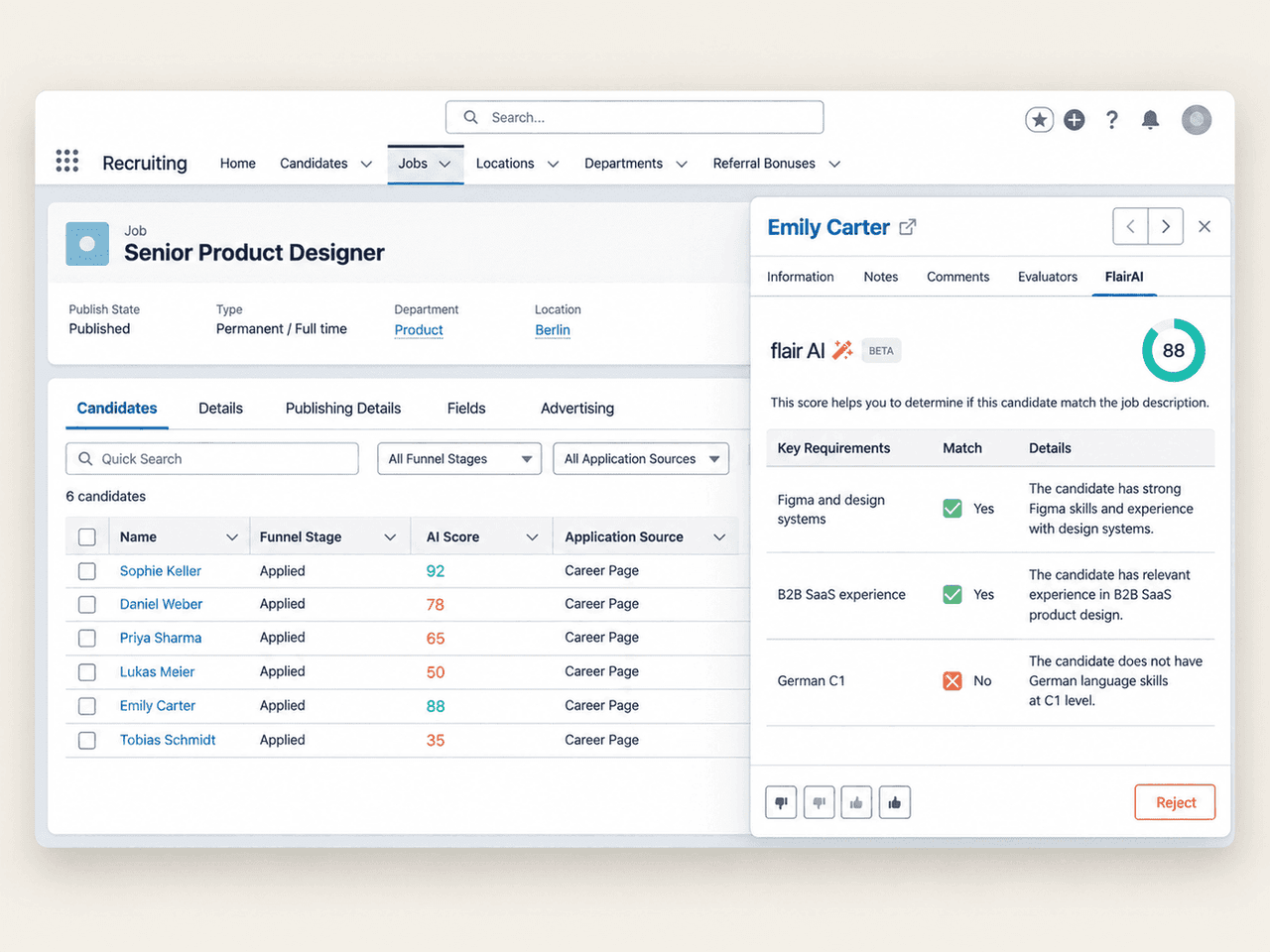
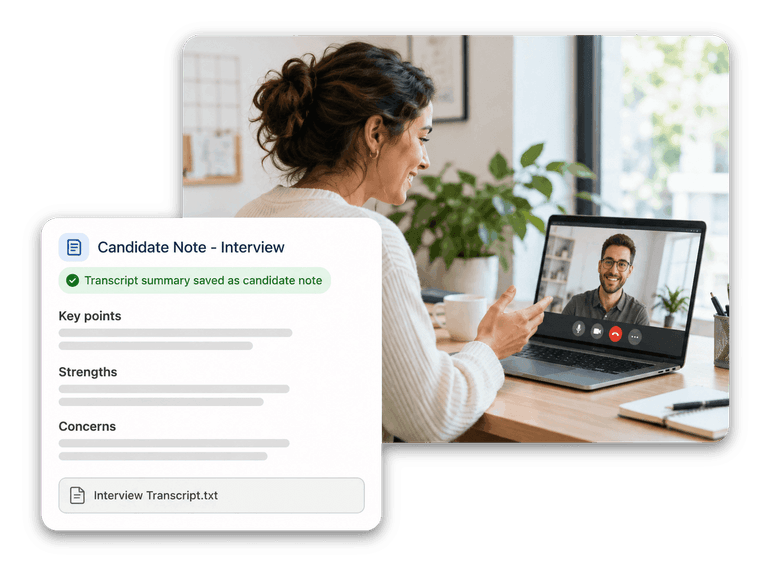
Every new applicant gets an AI Score from 0 to 100 that compares CV and cover letter with the job requirements. Generate job descriptions from a prompt, and let the flair AI meeting recorder join online interviews and save a summary and transcript on the candidate.
AI Built for European HR
flair AI runs entirely in the EU on your HR data in flair, under the same roles and permissions, so it never sees more than the person using it.

All data processed and stored in the EU
Respects every role, permission and document visibility
Cites its sources, so answers can be checked
People stay in charge of hiring, pay and other decisions
Works in German and English


flair AI is the AI layer of the flair HR platform on Salesforce. It includes the AI company agent, the AI assistant for employees, the AI scheduling assistant, AI compliance, AI employee sentiment, AI recruiting, AI writing and summaries, and Smart Search. All of them work on your own HR data in flair.
The AI assistant answers questions: an employee asks about their vacation balance, next shift or a company policy and gets an answer with its source. The AI company agent completes tasks: it plans and carries out multi-step work such as preparing an onboarding or collecting missing documents, within the permissions of the person who asks.
flair AI uses the HR data and documents in your flair organization, and only what the current user is allowed to see. A document whose visibility is limited to a group the user is not part of is never used in their answers.
In the EU. flair AI processes and stores all data in the European Union, so your HR data never leaves Europe.
No. flair AI prepares, suggests and flags, and people decide. The AI Score supports initial screening but does not replace your review, shift plans are published by planners, and compliance findings are resolved by your team.
flair AI works in German and English. The assistant replies in the employee's Employee Hub language, and summaries are written in the language of the answers they summarize.
flair AI comes in two paid modules, flair AI for HR and flair AI for Recruiting, which an HR admin activates for your organization. Book a demo to see which module fits your team.
Ready to see how your organization will thrive with flair? Get in touch with us to discuss your needs and see how flair can help you boost your HR efficiency.

Take a tour of flair tailored to your top priorities
We'll support you throughout the process