EN
EN DE
DE CH
CH AT
AT
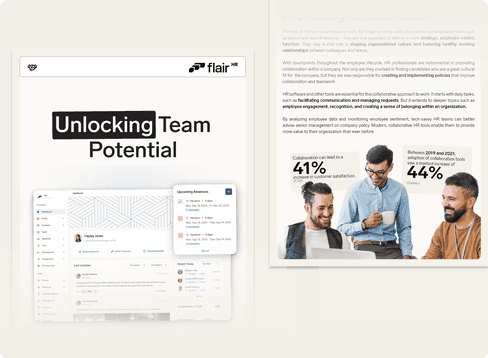
Helping Teams Work Together
Thanks to modern technology, there are more ways to collaborate than ever before. But with the rise of remote work, there’s a growing need to rethink how we work with our colleagues.
In this guide, we’ll reveal how HR teams can be instrumental in this shift toward more collaborative work cultures and what part software has to play.
What's inside
The guide looks at how HR teams can promote collaboration across departments and locations, and how software supports this. It has five chapters:
- Connecting coworkers: as teams grow and working habits change, coordination between departments and locations gets harder, and HR is often asked to bridge the gaps.
- HR's new role in promoting collaboration: HR has moved beyond payroll and record-keeping toward shaping culture and working relationships. The guide cites ICW (collaboration can lead to a 41% increase in customer satisfaction) and Gartner (adoption of collaboration tools rose 44% between 2019 and 2021).
- Five common challenges for HR teams: distributed teams in hybrid and remote setups, information overload from too many apps and notifications, siloed knowledge that is lost when people leave, lack of alignment across teams and levels, and time pressure from admin work.
- How apps address collaboration: a table applies eight collaboration features to HR – contextual commenting (e.g. on timesheets, time-off requests and performance reviews), video and screen recording, workflows, app integrations such as Slack and DocuSign, document management, role-based access controls, shared absence calendars, and notifications – with the benefit of each.
- Five areas where HR software improves collaboration: recruiting with HR, team leads and employees involved in evaluations; onboarding workflows; streamlined approvals for absences, expenses and timesheets; transparent goals with 360-degree peer reviews; and employee surveys for two-way feedback.
Key takeaways
- Fewer apps and centralized notifications reduce information overload.
- Comments on the actual request or document speed up approvals.
- A shared absence calendar makes team planning easier.
- Document knowledge so it stays when experienced employees leave.
Download the full guide below for the complete feature table and practical examples.
Work Culture