EN
EN DE
DE CH
CH AT
AT
Multi-Step Approval Policies
Route requests to managers, additional managers, employee segments or a custom field, in sequence or in parallel. Use different policies per legal entity.
The Number One HR Solution on Salesforce
Approval Workflows
Set up approval chains once and let flair route absences, documents, expenses and data changes to the right approvers, with a clear audit trail for every decision.
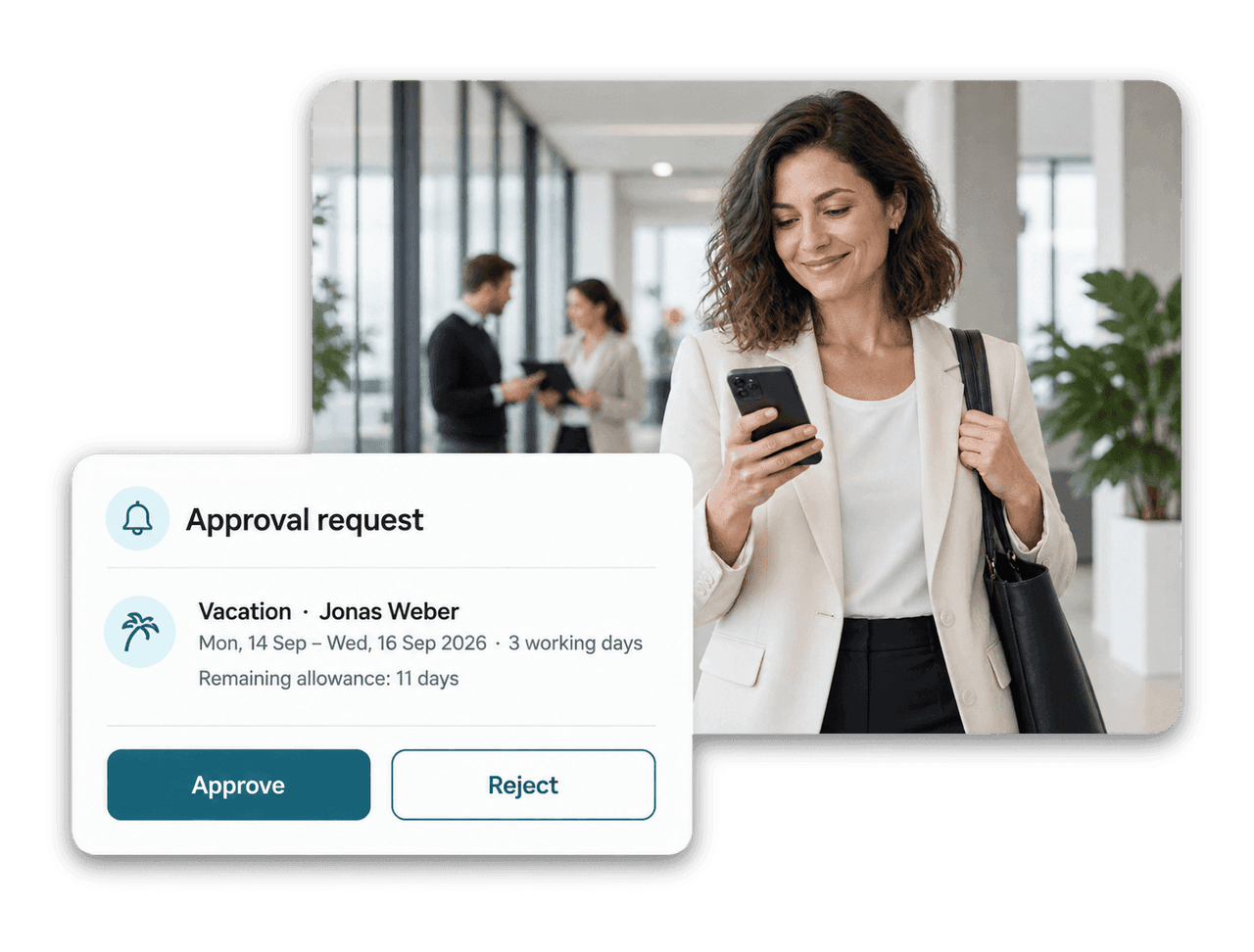
One approval framework for the whole company: configurable policies, self-service request forms and notifications that reach approvers wherever they work.
Route requests to managers, additional managers, employee segments or a custom field, in sequence or in parallel. Use different policies per legal entity.

Employees and managers request data changes or new records in the Employee Hub. You decide which fields, reasons and attachments are required.

Date-based alert rules notify employees and managers before a probation period ends, a contract expires or a certificate runs out.

Approvers get email, Slack, Employee Hub and push notifications and can approve or reject straight from the flair mobile app.
Approval Framework
Approval policies define who approves, in which order and under which conditions. Target them at employee segments or whole legal entities, and let matching priority decide when several policies apply.

Self-Service Requests
Request forms let employees and managers ask for changes in the Employee Hub, from a new bank account to a salary or position change. Changes are applied automatically or sent for approval, depending on the form.

Approval Requests
Every approval request shows the details that matter: amounts and receipts for expenses, dates and remaining allowance for absences, old and new values for data changes. The approval path shows who has decided and who is next.





The approval framework covers absences, employee documents, certificates, expenses, employee data change requests, shift changes, goal changes and compensation reviews. Each request type can follow its own approval policy.
Yes. Approval policies can target employee segments by department, location, position or legal entity. When several policies match a request, flair uses the one with the highest matching priority.
flair skips the old manager's pending request, creates a new one for the new manager and notifies them. The transfer is recorded in the approval path, so the history stays complete.
HR defines which fields a form can change, who can use it and whether a reason or attachment is required. Depending on the setting, flair applies the change immediately or sends it for approval, and it can also generate a document or start a workflow.
An alert rule watches a date, such as the end of a probation period or a contract, and notifies the employee, their manager or both a set number of days before or after it. Rules can be limited to specific entities, locations or departments and can also trigger on absences.
Ready to see how your organization will thrive with flair? Get in touch with us to discuss your needs and see how flair can help you boost your HR efficiency.

Take a tour of flair tailored to your top priorities
We'll support you throughout the process