EN
EN DE
DE CH
CH AT
AT
OKR or MBO

Track measurable key results with automatic progress, or assess results with predefined options, achievement scales and weighted scores.
The Number One HR Solution on Salesforce
Goals & OKR
Set company, team and individual goals in one place. Work with OKRs and key results or with MBO scoring, and show how each goal contributes to your strategy.

Choose your objective mode, align goals across levels and decide who can change what, and when.
Track measurable key results with automatic progress, or assess results with predefined options, achievement scales and weighted scores.
Company, team and employee goals, with sub-goals and alignments that show how individual work supports company strategy.
Group goals into categories, set default weights per position and let flair check that weights add up to 100%.

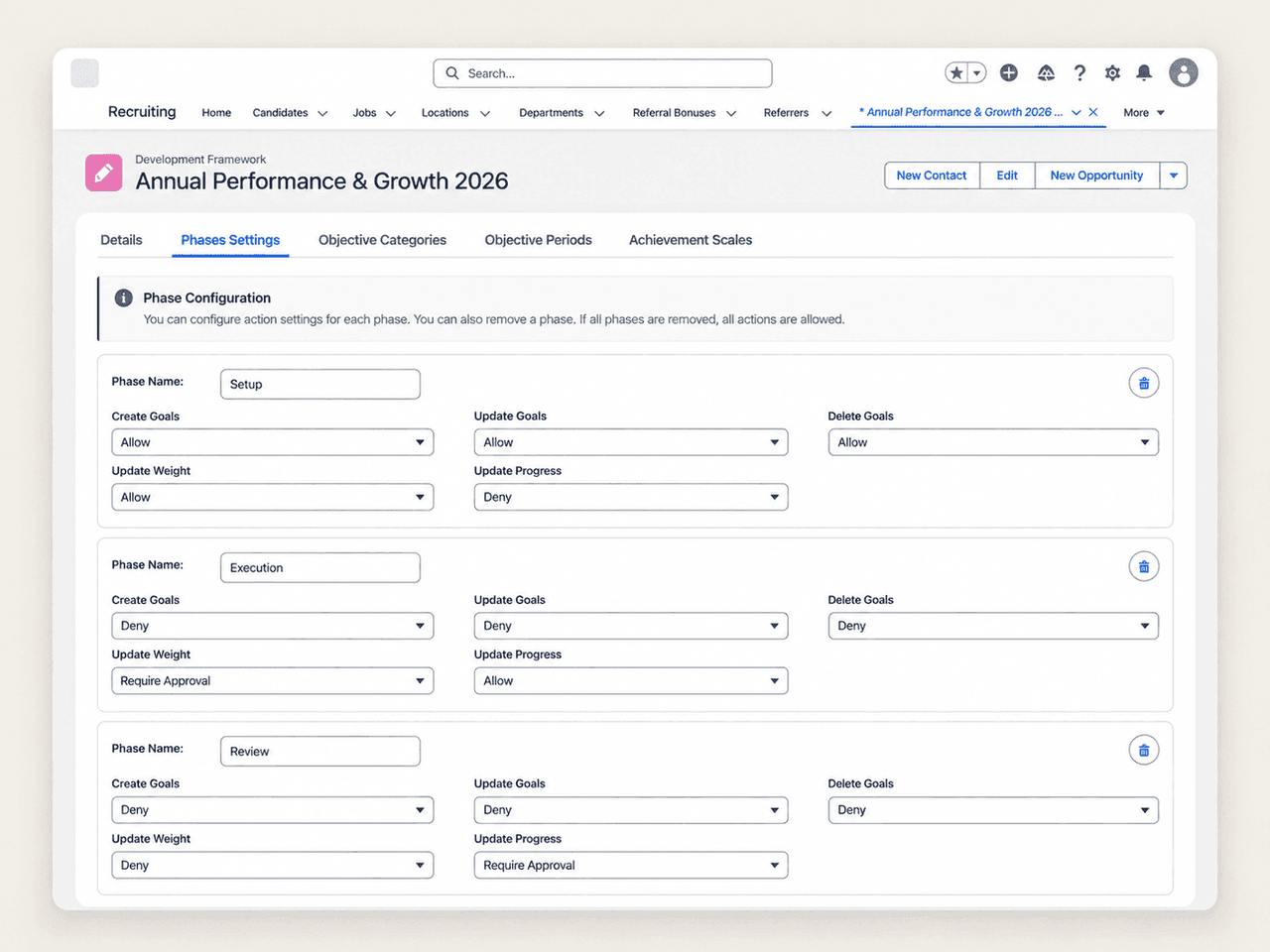
Allow, deny or require approval for goal changes in each phase of a period, from setup to execution to review.
Goal Hierarchy
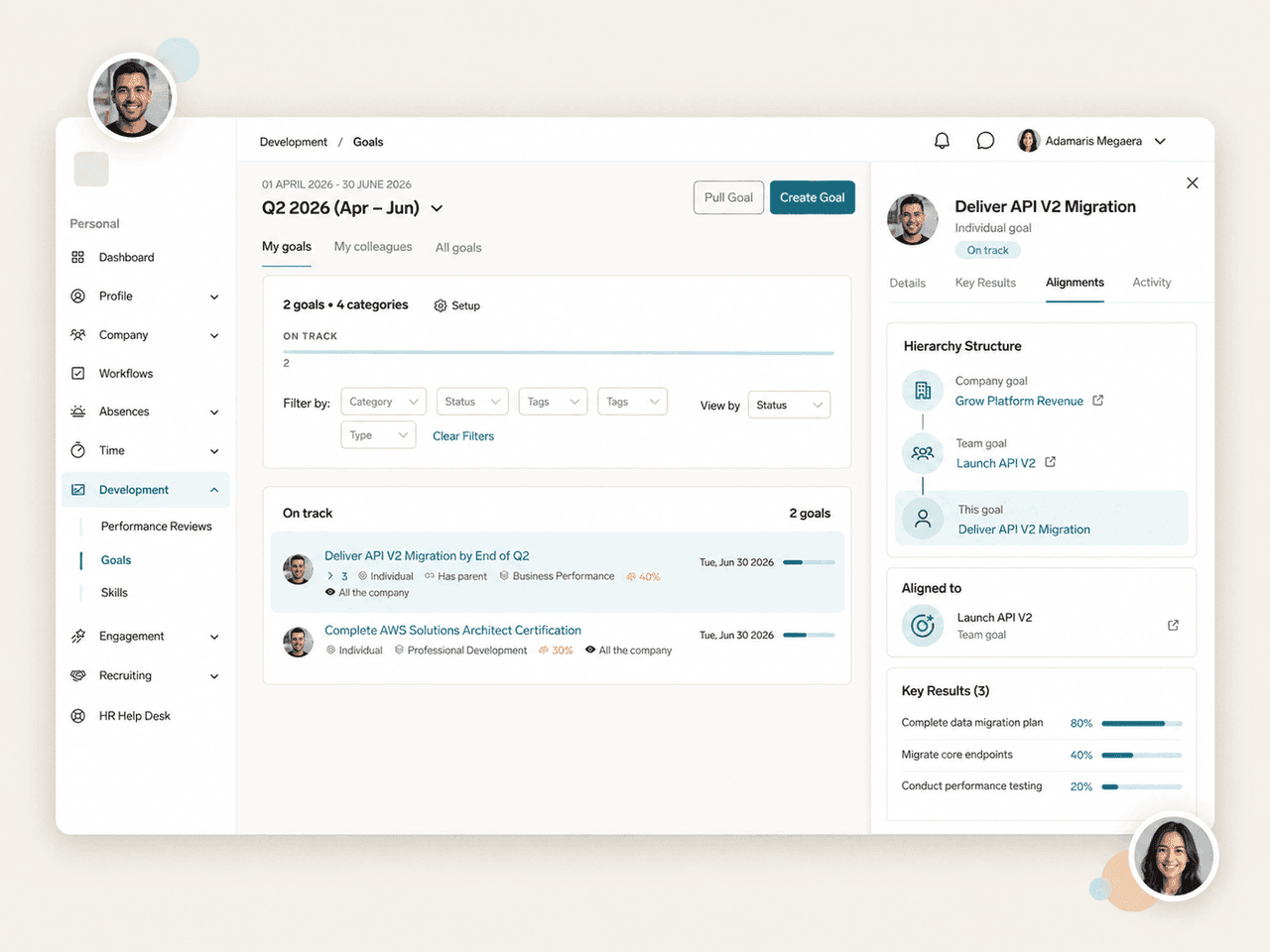
Employees and managers see their goals for the selected period on the Goals page in the Employee Hub. Align a goal to one or more company or team goals and follow the full chain in the Hierarchy Structure widget.
Weights & Scoring
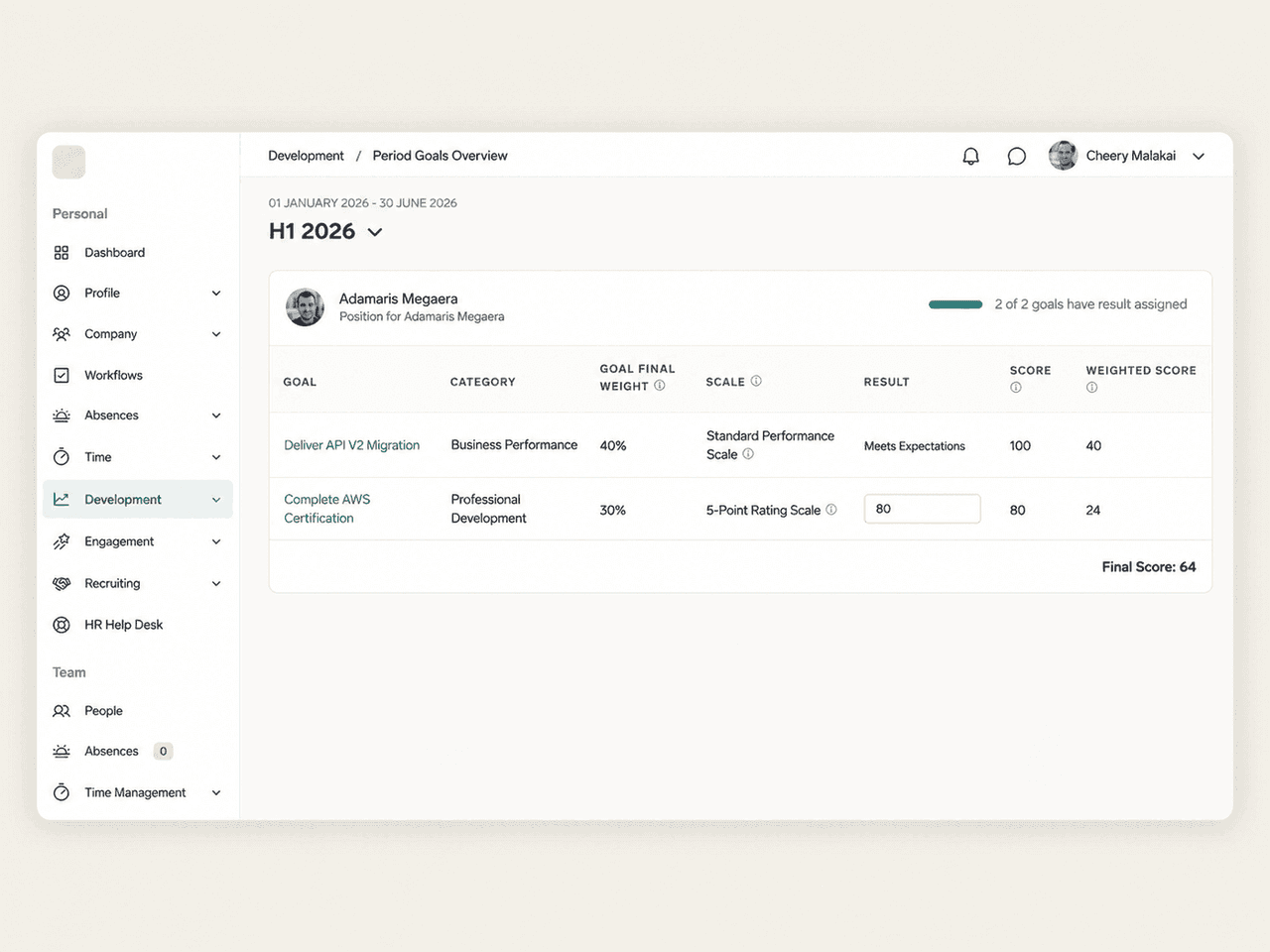
In MBO mode, achievement scales turn a goal's result into a score, and weighted scores roll up into one final score per employee. Managers see each employee's goals, weights, results and scores in the Period Goals Overview, and employees can open their own Scoring Overview.
Phases & Approvals
Each objective period moves through phases such as Setup, Execution and Review. For every phase, decide whether employees may create, update or delete goals, change weights or update progress, and whether a change needs approval first.


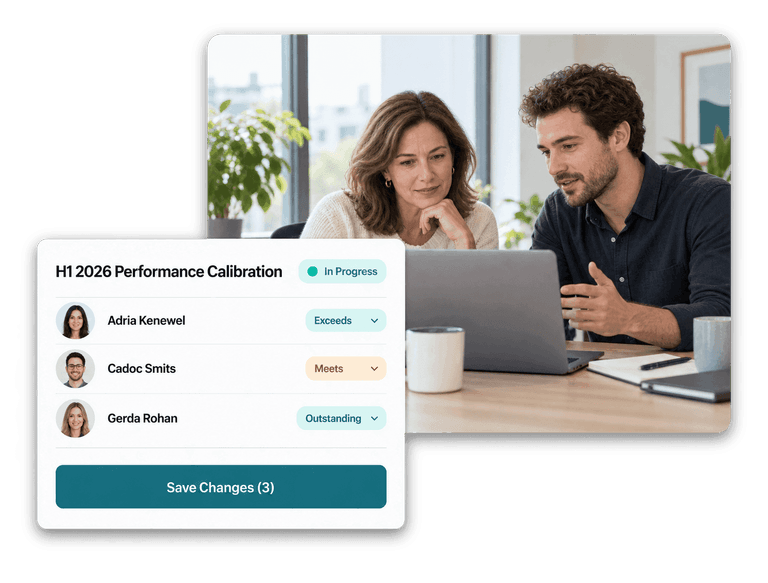

OKR mode uses measurable key results, and flair calculates a goal's progress from them automatically. MBO mode assesses results at the end of a period using predefined result options or numeric scores, with achievement scales and weighted scoring across categories. You choose the mode per Development Framework.
Each OKR goal can have key results of three types: numeric (from an initial value to a target), percentage, or yes/no. A goal's progress is the average of its key results, and its status updates as key result values change.
Yes. Goals exist at company, team and employee level, and employee goals can have sub-goals. You can align a goal to one or more company or team goals, and employees can pull a company or team goal into their own goals as a linked copy.
Each goal has a visibility setting: all the company, management and HR only, or protected, which limits it to explicitly shared users in OKR mode. New goals created in the Employee Hub default to management and HR visibility.
Yes. Link a feedback cycle to an objective time period and choose how goals appear in the review: in a separate section with a sidebar for entering results, or inline as questions. The Development Framework, a paid add-on, controls who may update results during the review.
Ready to see how your organization will thrive with flair? Get in touch with us to discuss your needs and see how flair can help you boost your HR efficiency.

Take a tour of flair tailored to your top priorities
We'll support you throughout the process