EN
EN DE
DE CH
CH AT
AT
Categories and Experience

Group skills into categories like languages or certifications, rate them from 1 to 5 and record months or years of experience.
The Number One HR Solution on Salesforce
Skills Management
Build one skills catalog for your whole company. See every employee's level, compare it to what their position needs, and staff projects by capability.
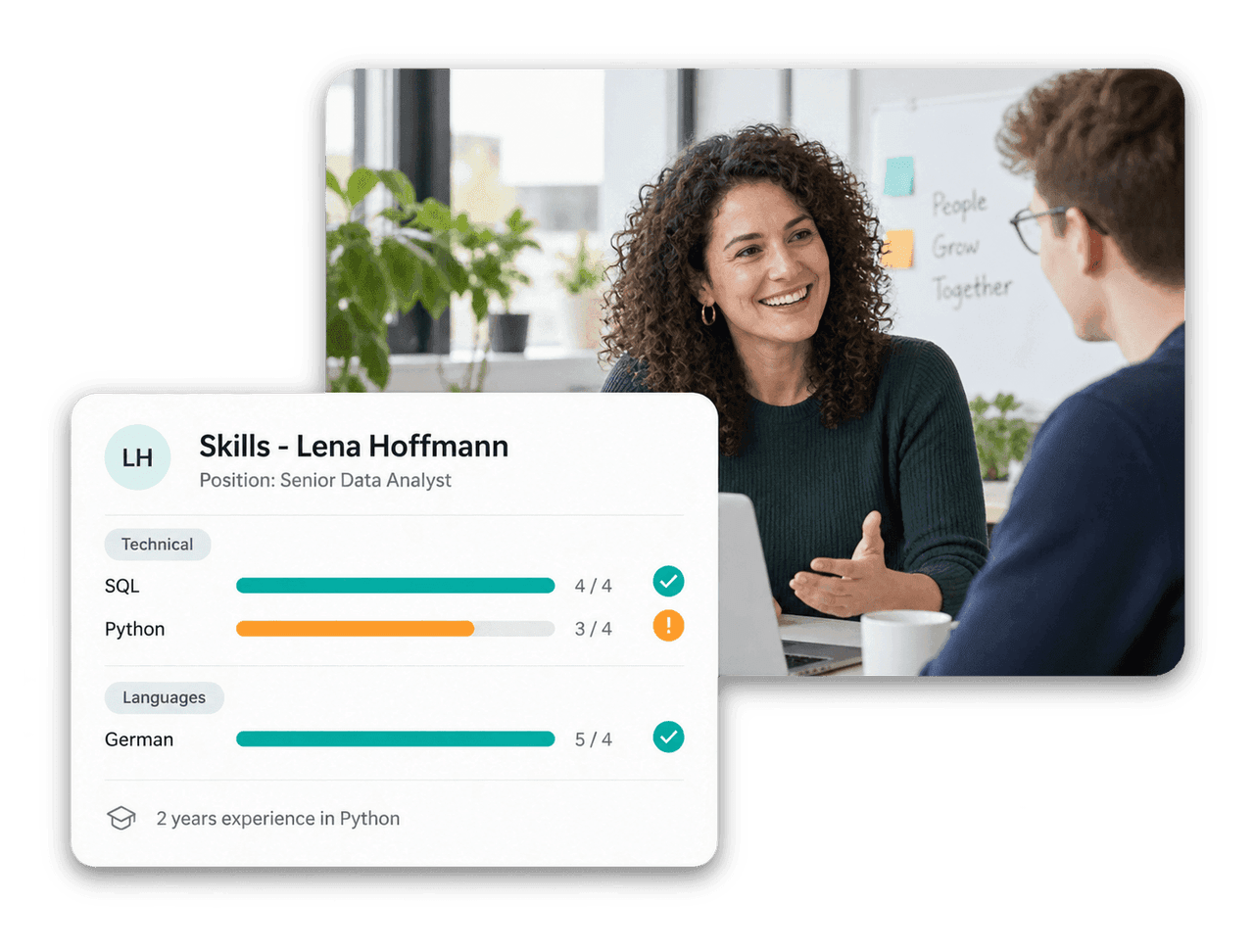
Replace scattered spreadsheets with structured skill data that employees, managers and HR keep up to date together.
Group skills into categories like languages or certifications, rate them from 1 to 5 and record months or years of experience.
Managers and HR see colleagues with overlapping skill profiles, including match percentage and shared skills.

Set required skills and target levels per position and see where each employee stands against them.

Lock individual skills against self-editing, so critical skills like first-aider certification stay accurate.
Skills Profiles
Employees see their skills grouped by category, with progress toward their position's expectations on a 1–5 scale. Managers view the whole team in a skills grid and spot gaps at a glance.

Project Staffing
Add the skills a project requires, with an optional proficiency level. The Matching Employees view in the Employee Hub scores each person against those requirements and lists the closest matches first.

Catalog & Search
Skill names can be stored per language, so every employee sees the catalog in their own language. Search finds skills by synonyms and abbreviations, like k8s for Kubernetes.





Skills management software records which skills your employees have and how well they master them. flair keeps this data in one catalog, so HR and managers can compare skills with position requirements, find the right people for projects and support internal mobility.
Yes. In the Employee Hub, employees can add skills, rate them and record their experience. Per skill, admins decide whether employees have full self-service, can only add or remove the skill, or whether only HR and managers may change it.
You set required skills and target levels on a position, or inherit them from the role. flair compares them with the employee's current levels on their Skills tab and in Performance Reviews, so development conversations start from the same data.
Add required skills to the project. The Matching Employees view ranks employees by how well their skills fit and shows their level next to the level the project needs. On any employee profile, the Similar People card also shows colleagues with overlapping skill profiles.
Yes. Skills can be used in the Shift Planner, matched against jobs and candidates in Recruiting, and linked to certificates so that an approved certificate grants the matching skill. Expired skills are flagged and left out of matching.
Ready to see how your organization will thrive with flair? Get in touch with us to discuss your needs and see how flair can help you boost your HR efficiency.

Take a tour of flair tailored to your top priorities
We'll support you throughout the process