EN
EN DE
DE CH
CH AT
AT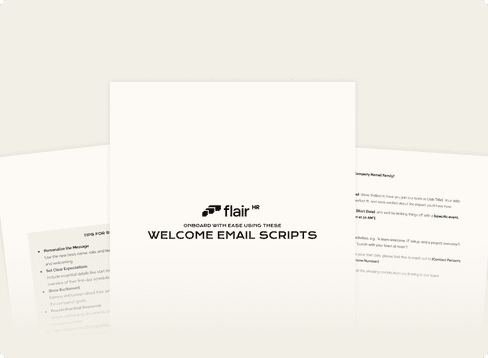
Create a Great First Impression with These Welcome Email Scripts
Onboarding starts with a warm welcome! These email scripts help you create clear, professional, and friendly communications to guide new hires through their first steps.
This toolkit includes:
Ready-to-use scripts for pre-start, first-day, and general welcome emails
Customizable templates to match your company tone and values
Tips for setting the right tone and ensuring a smooth onboarding experience
Download now to streamline your onboarding process and make every new hire feel valued from day one!
What's inside
The download contains three ready-to-edit welcome email scripts plus five tips for writing them.
Tips for success
- Personalize the message with the new hire's name, role and team.
- Set clear expectations: start time, location or remote log-in details, and an overview of the first-day schedule.
- Show excitement about their arrival and how they will contribute.
- Provide practical resources such as onboarding documents, pre-start tasks or helpful links.
- Offer support: name a contact person for questions and say who will greet them on day one.
The three scripts
- General welcome email ("Welcome to the [Company Name] Family!"): confirms the job title and start date, previews first-day activities such as a team welcome, IT setup and project overview, and names a contact person.
- Pre-start email ("Getting Ready for Your First Day at [Company Name]"): lists start date and time, office address or log-in details, what to bring (e.g. a photo ID) and how the team introduction will work.
- First-day email ("Welcome to Your First Day at [Company Name]!"): tells the new hire whom to meet, where and when, lists the day's first three activities, and mentions extras such as a team lunch.
Every script uses placeholders in square brackets, so you only need to fill in names, dates and details.
Key takeaways
- Send more than one email: one before the start date and one on the first day.
- Always include logistics – time, place or log-in, and what to bring.
- Name a real contact person the new hire can reach out to.
Download the full set of scripts below to send consistent, personal welcome emails to every new hire.